888geme App Download — How to Install the Myanmar Casino App for Free on Android APK and iOS

Install the 888geme Mobile App on your smartphone to play Casino, Live Casino, and Sports games from anywhere. It removes the step of opening a browser and loads content faster.

Android 6.0+ iOS 13.0+ Under 45 MB Free Download

888geme App — Choose Your Platform and Download

How to add to Home Screen from Android APK and iOS Safari

Android APK

Direct install — no Google Play required

The 888geme Android App can be installed from a single APK file. No download from the Google Play Store is required — you can get it directly from the 888geme website, bypassing Play Store restrictions in Myanmar and installing it right away.

Before downloading the APK, go to your phone's Settings and enable "Unknown Sources" or "Install Unknown Apps". Once the download is complete, open the APK file from the File Manager, tap Install, and your app will be ready on the Home Screen within minutes.

Android 6.0+ APK ~38 MB Latest Version Free
Get the Android APK — Create an Account

IOS / iPhone

Add to Home Screen from Safari

Instead of downloading the 888geme App from the App Store, iPhone and iPad users should open the 888geme.org website in Safari, tap the Share icon, and select "Add to Home Screen". An app icon will appear on your Home Screen and the app will open in full-screen mode just like a native app.

Built with PWA (Progressive Web App) technology, the app supports Offline Cache, Push Notifications, and lower data usage.

iOS 13.0+ PWA Support Safari Required Free
Open an iOS account and start playing

Players report that after downloading the 888geme App and logging in, loading speeds are faster and battery drain is lower compared to playing through a browser.

What is the 888geme Mobile App?

Carry an entire casino in your pocket

Everything available on the 888geme desktop browser is also accessible through the mobile app. The difference is that the app's interface is specially optimized for smartphone screens — tap responses are faster, scrolling is smoother, and every game plays in full screen.

Whether you are stuck in Yangon traffic or relaxing in Mandalay in the evening, the 888geme App lets you jump straight into casino games instantly. Deposit via KBZPay, top up your balance immediately, and be at a Live Baccarat table in as little as five minutes.

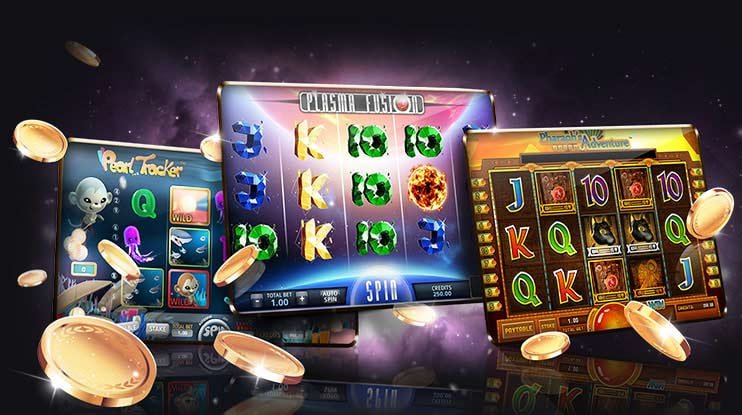
The games available in the app are identical to those on the website. Slots, Live Casino table games, Sports Betting, and Virtual Games are all accessible in one place, and a single account works across all platforms.

Only download the 888geme App from the official website at 888geme.org. Be cautious of APK files shared via Telegram channels, Facebook posts, or unknown sites, as these may contain malware.

888geme
888geme Mobile App — How to Play Casino Games on Your Smartphone

Step-by-step guide to installing the 888geme APK on an Android phone

Works on any Android phone — Samsung, OPPO, Vivo, or Xiaomi

1
Enable Unknown Sources

Go to Phone Settings → Security (or Privacy) → enable "Install Unknown Apps". On Android 8 and above, you must grant this permission separately for each browser. If you are downloading via Chrome, allow Chrome to "Install from this source".

2
Access the APK link from 888geme.org

Open the 888geme.org download page in Chrome on your Android phone and tap the "Download Android APK" button. Wait until your browser confirms that the APK file (approximately 38 MB) has been downloaded.

3
Open the APK from File Manager

Tap the downloaded file in your Notification Shade, or open File Manager, go to the Downloads folder, find the 888geme.apk file, and tap it. When prompted to install, tap "Install".

4
Bypass the Play Protect warning

Google Play Protect may display an "Unknown Developer" warning. This is a standard alert that appears because the APK was not downloaded from the Google Play Store. Select "Install Anyway" to proceed. The 888geme App itself has already passed security checks and contains no malware.

5
Log in and play

Once installation is complete, the 888geme icon will appear on your Home Screen. Tap the icon to log in to your account, or if you do not have an account yet, Already registered can play.

888geme
Step-by-step guide to installing the 888geme Android APK
888geme
888geme on iOS Safari — How to Add to Home Screen

How to install 888geme on iPhone or iPad

Add to Home Screen via Safari — no App Store required

1
Open 888geme.org in Safari

On iPhone or iPad, use Safari only. Chrome and Firefox do not support the "Add to Home Screen" option, so this method works exclusively in Safari. Type 888geme.org into the Safari address bar.

2
Tap the Share icon

Tap the Share icon (box with an arrow) in the toolbar below Safari's address bar. On iPhone 14 and newer models, the toolbar is at the bottom of the screen; on older models, it is at the top.

3
Select "Add to Home Screen"

When the Share Sheet appears, scroll down and tap "Add to Home Screen". Name the app "888geme" and tap "Add". The 888geme app icon will then appear on your Home Screen.

4
Open and play from the Home Screen icon

Tapping the 888geme icon on your Home Screen opens the app in Fullscreen Mode without a browser tab. It looks and feels like a native app — with no browser navigation bar in the way, you get more screen space for gaming.

On iOS 16.4 and later, if you allow "Allow Notifications" from the PWA app, you will receive promotion and bonus alerts from 888geme.

Key features of the 888geme App

A better experience when playing on mobile

Fast loading

Thanks to its efficient cache system, the 888geme App launches games approximately 30% faster than a browser, according to player feedback. The experience stays smooth with minimal video lag even on a slow 4G connection.

Dark Mode Support

The 888geme App includes Dark Mode, so players who game at night can avoid eye strain. It follows the phone's system-level Dark Mode setting, so no manual configuration is needed.

Push Notification

Get instant Push Notifications whenever a new 888geme bonus offer arrives, a withdrawal is approved, or new VIP Rewards become available. You can customize your notification preferences in the app settings.

Biometric Login

The 888geme App supports Fingerprint and Face ID login, letting you skip the password entry step. This speeds up login without compromising account security.

Offline Navigation

When your internet connection drops, the 888geme App's main menu and lobby remain visible from cache, so you can resume playing immediately once the connection is restored. Please note that the games themselves require a real-time connection.

Myanmar Unicode Interface

The 888geme App interface displays text in Myanmar Unicode, so there are no Zawgyi font issues. The Noto Sans Myanmar font is built in, ensuring clear and correct text rendering on any Android version.

888geme App vs. Browser comparison

Help you decide which platform to use

Features 888geme App Mobile Browser PC Browser
Loading Speed ✓ Fastest Medium Fast
Biometric Login ✓ Available ✗ Not included ✗ Not included
Push Notification ✓ Available Limited ✗ Not included
Dark Mode ✓ Auto Follow Varies by browser Varies by browser
Battery Usage Lower Medium Not applicable
Game Content Full Full Full
Installation required or not APK / PWA required ✓ Not required ✓ Not required
Screen Real Estate Fullscreen Browser bar present Full desktop view

888geme App — System Requirements and Device Compatibility

Check which smartphones it works best on

Android requirements

  • Android 6.0 (Marshmallow) or higher
  • RAM: 2 GB minimum (4 GB recommended)
  • At least 100 MB of free storage is recommended
  • 4G / WiFi connection
  • Compatible with devices ranging from Samsung Galaxy A Series to Xiaomi Redmi

iOS Requirements

  • IOS 13.0 or later
  • IPhone 8 / SE (2020) or later
  • Safari Browser (Latest Version)
  • 4G / WiFi connection
  • Also compatible with iPad Air, Mini, and Pro

Popular phone models used in Myanmar

The 888geme App has been tested on the most popular phones used by Myanmar players —

Samsung Galaxy A14 Samsung Galaxy A54 OPPO A78 Vivo Y36 Xiaomi Redmi 12 Tecno Spark 20 iPhone 13 iPhone 15
888geme
888geme App — Device Compatibility on Myanmar Smartphones

App updates and security

Keep the 888geme App updated to the latest version at all times

888geme releases regular app updates that continuously add new games, fix bugs, and apply security patches. When an update is available, you will receive a notification the next time you open the app.

To update the Android APK, download the latest APK from 888geme.org and install it directly over the existing app without uninstalling first. Your account data will be preserved and your login session will remain active after the update.

The iOS Safari Home Screen PWA fetches directly from the 888geme.org server, so the app updates automatically whenever the website is updated. No separate update download is needed — simply reopen the app to get the latest content.

All communication between the 888geme App and the website is protected by TLS 1.3 encryption, preventing your account data, payment details, and personal information from being intercepted.

How to deposit and withdraw via the App

Transactions in MMK can be made directly through the 888geme App

From within the 888geme App Deposit and withdrawals directly within the app. Select KBZPay, Wave Money, AYA Pay, or CB Pay from inside the app, enter the Transfer Reference Number, and submit your request instantly.

Once a Deposit Request is submitted, you will see the updated Account Balance in an App Notification within minutes, so there is no need to reopen a browser to check. Withdrawal Request status can also be tracked in real time from within the app, and you will receive a Push Notification when it is complete.

Deposit Processing

Under 5 minutes

Withdrawal Processing

15 – 30 minutes

888geme App Download — Frequently Asked Questions

Frequently asked questions about installation

APK files downloaded from the official 888geme.org site are scanned for malware before release, so the risk of a virus is low. However, 888geme APK files obtained from Telegram, Facebook groups, or unknown sites are outside our control and may contain malware. Always verify the source URL when downloading the APK and make sure it comes from 888geme.org.

Account data including your Balance, Transaction History, Bonus Records, and VIP Points are stored on the 888geme server, so nothing is lost when you uninstall the app. After reinstalling and logging back in, all your data will be exactly as you left it. However, if you forget your password you may have trouble regaining access, so make sure to save it somewhere safe.

There can be several reasons for an "App Not Installed" error. The most common causes are: insufficient storage space (make sure you have at least 100 MB free), a conflict with an older APK version (uninstall the old app first, then reinstall), or an incomplete APK download (re-download the APK file). If the problem persists after trying these steps, contact 888geme Customer Support.

Please note that the "Add to Home Screen" option is only visible in Safari. If you have the site open in Chrome or Firefox, this option will not appear. Open 888geme.org in Safari, then look at the Toolbar below the Address Bar — tap the Share Icon (the box with an arrow pointing upward). When the Share Sheet appears, scroll down and look for "Add to Home Screen". On iOS 16.4 and later, this option may appear in the middle of the Share Sheet, so scroll through carefully to find it.

Data usage varies depending on the type of game you play. Slot games use approximately 15–25 MB per hour. Live Casino games include a video stream and can use around 150–300 MB per hour — lowering the Video Quality setting will reduce data consumption noticeably. Playing over WiFi lets you enjoy HD quality without worrying about your data package.

Whether a single account can be logged into on multiple devices simultaneously depends on 888geme's security policy. If two devices access the same account in quick succession, a security check and additional verification may be triggered. For your safety, 888geme recommends logging in from one device at a time and logging out when you are done.

Download the 888geme App and start playing today

Players across Myanmar install the 888geme App on their smartphones, deposit via KBZPay, and enjoy Casino games, Live Dealer Games, and Sports Betting around the clock. Open an account and claim your Welcome Bonus.

မြန်မာ